

Creativity Meets Technology
Turn Your Creativity Into Professional Graphic Design Skills
Learn visual design, branding, poster creation, social media graphics, typography, colour theory and practical design techniques.
Learn visual design, branding, poster creation, social media graphics, typography, colour theory and practical design techniques.

Discover how to design posters, advertisements, logos, brochures, digital campaigns and other visual communication materials.

Develop your design process through practical assignments, creative challenges, branding exercises and a collection of your best work.
Graphic design is the art of communicating ideas through images, typography, colours, layouts and visual elements. It helps brands and businesses explain messages in an attractive and understandable way.

Graphic design is used across digital marketing, advertising, education, entertainment, publishing, e-commerce and business branding.
A designer combines creativity with clear communication. The goal is not just to make something look beautiful, but to make the message easy to recognise and understand.
Explore different areas of visual design and understand how each skill is used in practical creative work.
Learn the fundamentals of logo concepts, brand colours, typography, visual consistency and simple brand identity systems.

Practise visual hierarchy, strong headlines, image selection, composition and layouts that communicate a clear message.

Create post layouts, promotional creatives, campaign visuals, story graphics and consistent content for digital platforms.

Understand page layout, information flow, image placement, print-ready files and designing for physical materials.

Explore packaging concepts, label layouts, product presentation, colour systems and visual consistency across products.

Learn interface layout, spacing, visual consistency, buttons, typography and the basics of designing clear digital experiences.
Different projects call for different tools. Learn what each application is commonly used for and choose the right one for the task.
Image editing, photo manipulation and raster graphics.
Vector artwork, logos, icons and scalable illustrations.
Vector layouts, print artwork and signage designs.
Quick layouts, presentations and social media creatives.
Interface layouts, wireframes and collaborative design.
Software availability, subscription costs and course coverage should be confirmed before enrolment.
A structured curriculum can help you develop design knowledge, learn tools and apply your skills to practical assignments.
Design fundamentals, visual communication, design categories, creative process and common industry terminology.
Colour relationships, contrast, font selection, readability, hierarchy and matching type styles to a message.
Alignment, spacing, grids, balance, visual flow, negative space and arranging content effectively.
Image adjustments, selections, layers, masking, retouching and combining visual elements.
Shapes, paths, icons, vector artwork, logo concepts and scalable graphics.
Promotional creatives, campaign layouts, thumbnails, banners and platform-appropriate visual content.
Flyers, brochures, business cards, basic packaging layouts and print preparation concepts.
Organising finished work, explaining design decisions, presenting projects and preparing a portfolio.
Get visual inspiration from branding, digital artwork, layouts and creative compositions. Use these examples to understand different design categories.

Visual identity, colour systems and consistent brand presentation.

Bold visual communication.

Digital campaign visuals.
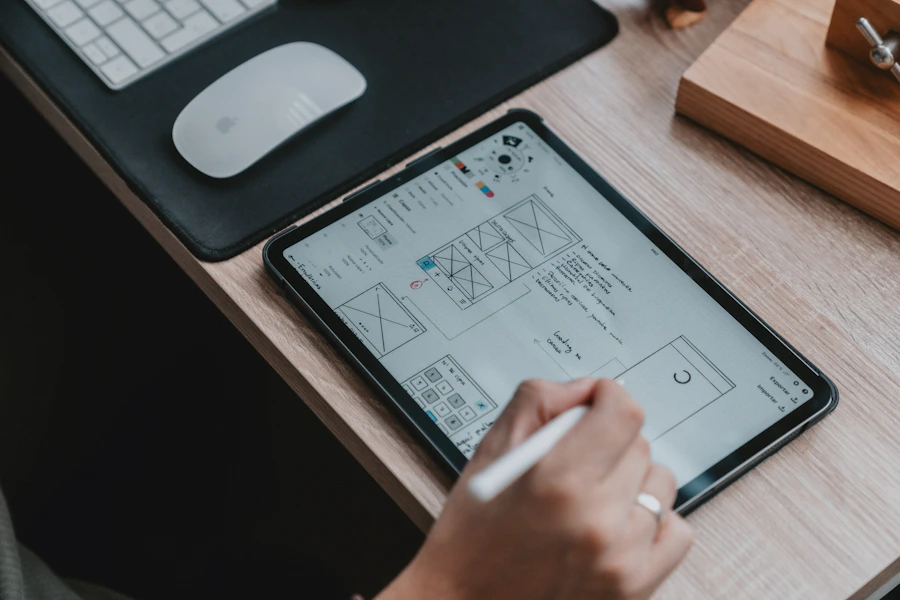
Typography and page structure.

Presentation, packaging and product-focused design concepts.
Images are visual references and inspiration; they are not represented as student projects produced by the institute.
Build your skills by completing a series of small, focused design briefs. Projects can be adapted to your level and the tools available.

Choose a fictional business and develop a logo concept, colour palette, typography selection and a basic brand presentation.

Create an event or product poster with a clear headline, supporting details, visual hierarchy and a strong call to action.

Design a small set of coordinated social media posts with consistent colours, typography and messaging.
Strong design skills grow through learning, observation, experimentation and feedback.
Study colour, type, composition, hierarchy and how visual design communicates.
Learn essential software workflows and recreate simple layouts for practice.
Complete design briefs for logos, posters, advertisements and social media content.
Select your strongest work and explain the problem, idea and design choices behind it.
Graphic design skills can be useful in agencies, businesses, marketing teams, publishing and freelance projects. Career requirements vary by role.
Create visual content for campaigns, brands, marketing materials and digital communication.
Work on visual identity concepts, logo systems, typography and brand consistency.
Design digital posts, promotional graphics, campaign visuals and content assets.
Support digital interface layouts, visual consistency, design systems and screen design.
Ask about the course syllabus, practical work, software coverage, duration and fees.
Answers to common questions from people starting their design journey.
Yes. You can start by learning design fundamentals, basic software workflows, typography, colour and layout, then progress to practical projects.
Not necessarily. Drawing can be useful for some types of illustration, but many graphic design tasks focus on layout, typography, image editing and visual communication.
It depends on your goals. Photoshop is widely used for image editing, Illustrator for vector graphics, CorelDRAW for certain print workflows, Canva for quick content and Figma for interface design.
The course plan can include practice briefs such as posters, branding concepts, social media graphics and brochures. Confirm the exact projects offered with the institute.
Choose your strongest projects, show the final design clearly, explain the brief and your choices, and organise the work so viewers can understand your skills.
Use the enquiry form below or visit the CyberEthicX contact page to ask for current course details.
Share your interests and prepare an enquiry message about course details.
Whether you want to create social media content, explore branding or learn visual design from the basics, start by discussing what you want to achieve.
You can ask about:
Course syllabus · Software · Duration · Fees · Practical projects · Portfolio
